# Pironman 5 Mini
**URL:** https://forum.sunfounder.com/t/pironman-5-mini/3752
**Category:** Accessories for Raspberry Pi and Arduino
**Created:** [August 29, 2025, 1:22pm UTC](https://forum.sunfounder.com/t/pironman-5-mini/3752 "2025-08-29T13:22:20Z")
**Posts on this page:** 5
**Page:** 1
### Author:  [@jmfweather](https://forum.sunfounder.com/u/jmfweather)
#### Post date: [August 29, 2025, 1:22pm UTC](https://forum.sunfounder.com/t/pironman-5-mini/3752/1 "2025-08-29T13:22:20Z")
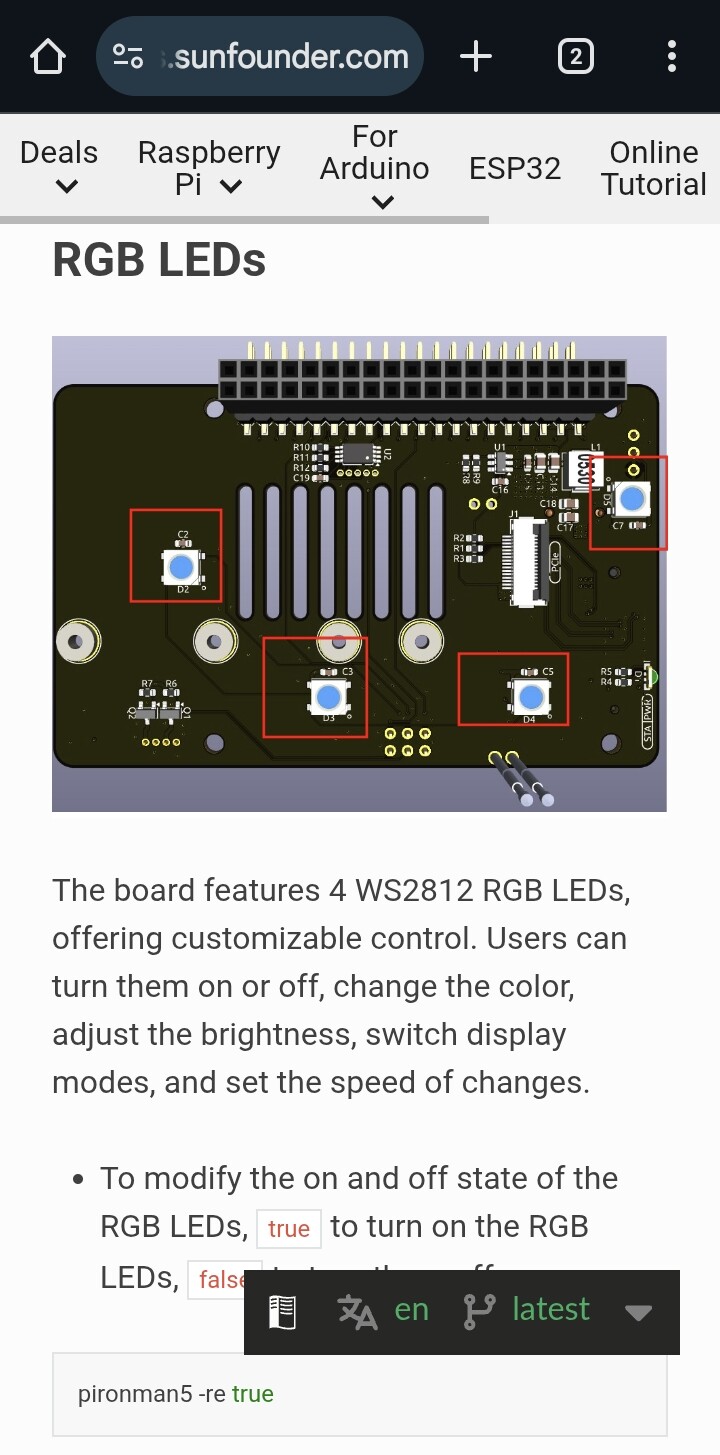
The Pironman5 Mini has only one fan with it’s own LEDs. There are apparently no other LEDs inside the case.
The status display (stats & charts etc.) options pop-up has the same controls as the standard Pironman5 but not all these options are relevant or working for the Mini.
Options that have no noticeable effect:
- RGB Enable
- RGB Color
- RGB Brightness
- RGB Style
- RGB Speed
Can changes to this dialog be made to either:
1. have an actual effect on the Fan LED (the fan when enabled and running has a rotating rainbow effect at a single brightness level and rotation speed) _ **or** _
2. be removed from the options for the Mini to avoid confusion.
Thank you.
---
### Author:  [@Weirdyguy](https://forum.sunfounder.com/u/Weirdyguy)
#### Post date: [August 29, 2025, 4:06pm UTC](https://forum.sunfounder.com/t/pironman-5-mini/3752/2 "2025-08-29T16:06:06Z")
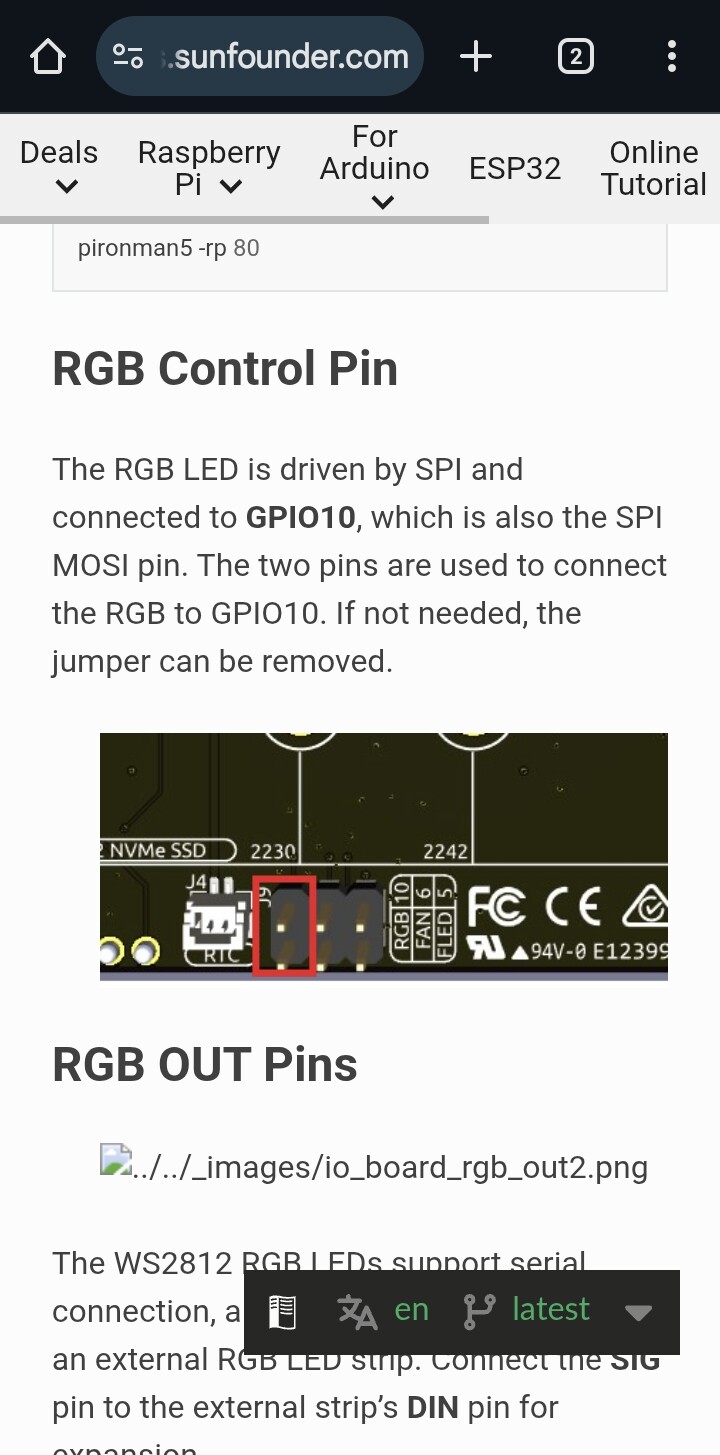
Pironman5 Mini have 4 RGB LEDs mounted on board. Take a look to jumper J9.
---
### Author:  [@jmfweather](https://forum.sunfounder.com/u/jmfweather)
#### Post date: [August 29, 2025, 7:14pm UTC](https://forum.sunfounder.com/t/pironman-5-mini/3752/3 "2025-08-29T19:14:39Z")
I can see from that diagram, and from this page ([Pironman 5 Mini HAT — SunFounder Pironman 5 documentation](https://docs.sunfounder.com/projects/pironman5/en/latest/pironman5_mini/hardware/io_board.html)) that the LEDs exist and that there are two pins covered by a jumper. I’m unclear what to do next.
Are you suggesting that the Jumper needs to be removed or do I have to connect those two pins for the RGB of the Mini HAT to somewhere else? Do I have to enable anything else to get them working?
---
### Author:  [@Weirdyguy](https://forum.sunfounder.com/u/Weirdyguy)
#### Post date: [August 29, 2025, 7:30pm UTC](https://forum.sunfounder.com/t/pironman-5-mini/3752/4 "2025-08-29T19:30:03Z")
Jumper need to be connected. Have you install pironman5 software? Then control RGB with dashboard…
---
### Author:  [@jmfweather](https://forum.sunfounder.com/u/jmfweather)
#### Post date: [August 30, 2025, 8:05am UTC](https://forum.sunfounder.com/t/pironman-5-mini/3752/5 "2025-08-30T08:05:52Z")
My issue was that SPI was not enabled. This related to another issue with the HA OS Data Disk being on a different block device from /boot and the Pironman5 setup tools don’t yet work with this setup.
Once dtparam=spi=on was set in /boot/config.txt and a couple of reboots later, the LEDs are now working.