I followed the manual and when I try to run to 0 calibration program I get the above error. My experience is in DOS, and I don’t know how to list files and directories in python3 to see what may be missing. Any help would be appriciated
I should add it is a ModuleNotFoundError


Thank you, but I found the zero button, the problem is that whenever I send a command, it gives me a
modulenotfounderror: No module named ‘robot_hat’
I thought I had it as I had used ‘robotdog’ instead of pidog as the manual states. I reformatted the ss card with the pidog as a user and it still doesn’t work. It seems the path that is embedded in the executed program is incorrect and I’m not sure how to correct it?
We are not sure if you have installed all the library codes by following the tutorial steps.
We recommend that you reinstall the system, then carefully follow the tutorial to install all the libraries, and finally run the example to see if it works.
Tutorial Link:
Please perform the installation in the following order:
Install robot-hat module:
cd ~/
git clone -b 2.5.x https://github.com/sunfounder/robot-hat.git --depth 1
cd robot-hat
sudo python3 install.py
Install vilib module:
cd ~/
git clone https://github.com/sunfounder/vilib.git
cd vilib
sudo python3 install.py
Install pidog module:
cd ~/
git clone https://github.com/sunfounder/pidog.git --depth 1
cd pidog
sudo pip3 install . --break
cd ~/robot-hat
sudo bash i2samp.sh
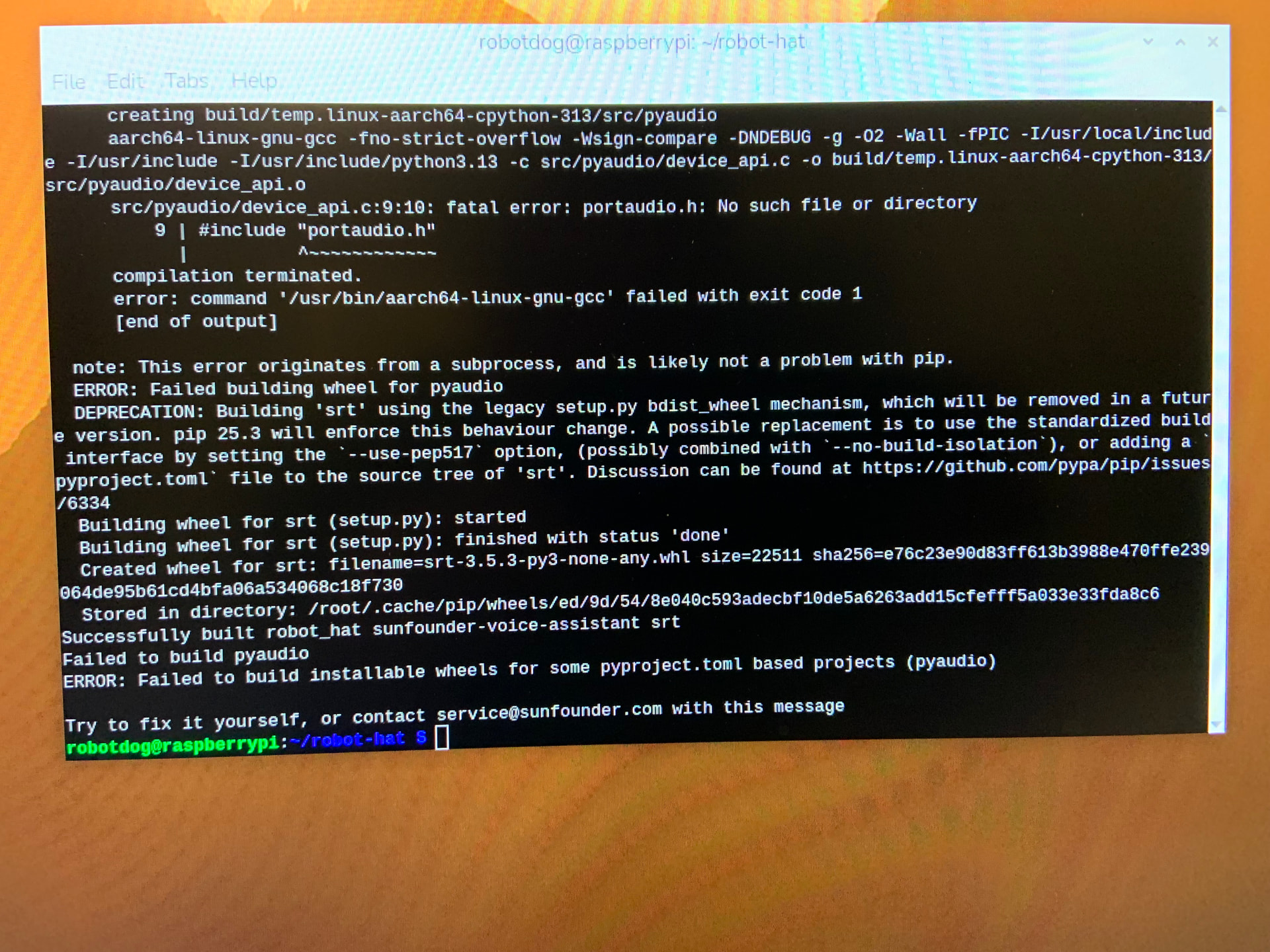
I formatted a new 32 bid SD card and reinstalled everything. Still have module not found errors. I did note that some of the robot-hat modules would not install including
Smbus2
Gpiozero
Pyaudio
Pyserial
‘Pygame>2=2.1.2’
Then it said
Install robot-hat package error
Status=1
Error:error externally-managed-environment
Try install python3-cuz where cuz is package
When I tried this it wanted a directory to put it in (I think)
Appriciate the help.

Which operating system version are you currently using to install all the library code?
We recommend using the latest version of the Trixie Raspberry Pi 64-bit system to install all the library code and check if it works properly.

I am using the windows version with the 64 bit as recommended
Please refer to our installation logs.https://drive.google.com/file/d/1OBvNZogCo1lk3uWl9whQFUSkQl1yEeqO/view?usp=drive_link
During the first installation of the robot_hat library, we encountered the same error as you. However, after running the sudo python3 install.py command again, the installation completed successfully. (Please ensure you type the command correctly, paying attention to the spaces.)
After successfully installing all the libraries, we ran the servo_zeroing.py example, and it executed without any errors.
We recommend reinstalling the system and following the steps in our installation logs to check the performance.
Thank you!
This worked!!